
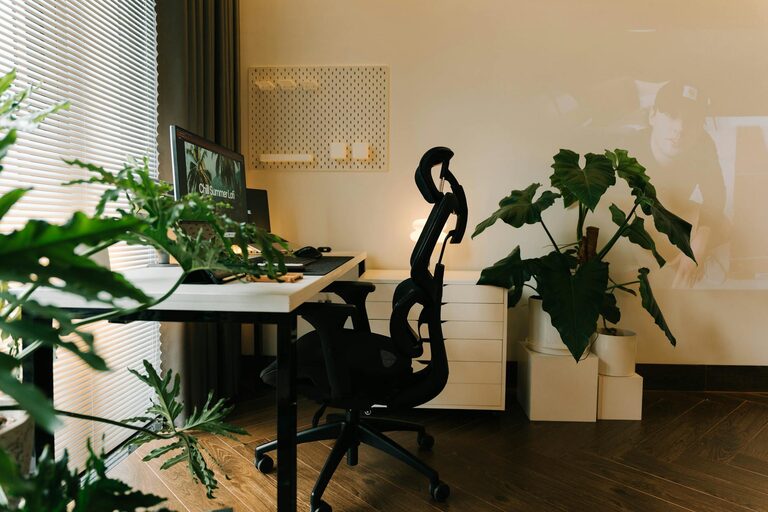
Creating a home office that feels both cozy and productive is essential for anyone working remotely or managing tasks from home. A well-designed workspace can improve your focus, reduce stress, and even boost your creativity. Here are some practical tips to help you create a home office environment that balances comfort and efficiency.
Choose the Right Location
Finding the perfect spot for your home office is the first step. Ideally, select a quiet area with minimal distractions. If possible, pick a room with natural light to help keep you energized throughout the day. If space is limited, a corner in a less trafficked part of your home can also work.
– Avoid placing your desk facing a cluttered area.
– Ensure there’s enough space for your office essentials.
– Consider privacy to minimize interruptions during work hours.
Invest in Comfortable Furniture
Comfort is key when setting up your home office. An ergonomic chair and a desk with enough surface area can make a huge difference in how productive and pleasant your workdays feel.
– Choose an adjustable chair that supports your back.
– Select a desk that fits your posture needs and equipment.
– Add a footrest or ergonomic accessories for added support.
Optimize Lighting
Good lighting reduces eye strain and creates a welcoming atmosphere in your office.
– Use natural light as much as possible, but avoid glare on your screen.
– Incorporate a good desk lamp with adjustable brightness.
– Consider warm light bulbs to create a cozy feel, especially in the evening.
Organize and Declutter
A cluttered workspace can distract you and reduce your efficiency. Keeping things tidy helps maintain focus and promotes a calm environment.
– Use shelves and storage boxes to keep supplies organized.
– Regularly declutter your desk and digital workspace.
– Keep only essential items within arm’s reach to avoid mess.
Add Personal and Comfort Touches
Making your workspace feel uniquely yours enhances comfort and motivation.
– Decorate with items that inspire, like photos, art, or plants.
– Use a soft rug or cushions to add warmth.
– Keep a blanket or cozy sweater nearby for chilly days.
Manage Noise Levels
Noise can significantly impact your concentration, so consider ways to control the sound in your workspace.
– Use noise-cancelling headphones if you cannot control ambient noise.
– Play soft background music or nature sounds to mask distractions.
– Add rugs or curtains to absorb sound and reduce echo.
Plan for Breaks and Movement
It’s important to balance work with movement to maintain energy and avoid fatigue.
– Set a timer to remind yourself to take short breaks.
– Stretch or walk around during breaks to reduce stiffness.
– Consider a standing desk or a sit-stand converter for variety.
Use Technology Wisely
Your technology setup can make or break your home office experience.
– Invest in a reliable computer, monitor, and internet connection.
– Use cable organizers to keep wires neat and prevent tangles.
– Explore productivity apps to help manage tasks and time.
Maintain a Routine
Creating a consistent daily routine helps your mind switch into work mode and promotes productivity.
– Start your day at the same time, just like you would in an office.
– Dress comfortably but professionally if it helps your mindset.
– End your day by tidying up and planning for tomorrow.
Final Thoughts
Designing a cozy and productive home office is about balancing functionality and comfort. By thoughtfully choosing your space, furniture, lighting, and personal touches, you can create an environment where work feels less like a chore and more like a comfortable part of your day. Remember to regularly assess your setup and make adjustments as your needs change. With these tips, your home office will become a place that supports your best work.